last week an agent filed my taxes. it signed into my hr provider, found the pdfs, read the numbers out of them, and, on the irs website, found a free filing option i didn’t know existed. it ran for a few hours and both the federal and california returns were accepted.
it stopped for me twice: to solve captchas, and to ask my filing status and address. everything else, including every login, it did on its own. in my experiment the models were never the limit. authentication was.
tldr: the harnesses i tried refused to let the model sign in on my behalf. a minimal harness (pi) plus a credential vault removed that ceiling.
the hard part is logging in
the information a tax return needs lives behind 4-5 different logins, each with its own password recovery flow and its own opinion about whether my laptop is a trusted device. recovering accounts and typing sensitive numbers by hand is what makes the task slow and annoying, and it is exactly the part i wanted to hand off.
for an agent to do this it needs to act as me, securely. passkey-vault is my answer: a password manager and totp service running on cloudflare workers. an agent creates an ssh private key on the desktop. then it shares the public key with me. i register that key to this service. then it authenticates to passkey-vault in the browser with a ssh signature. the agent opens the vault in the browser, clicks copy, and pastes into the login form. the secret moves through the desktop clipboard, not through the model.
the harness was the ceiling
sharing credentials with the agent is not enough. i tried dots first, with passkey-vault and 2fa available to it, and for anything touching auth it refused and asked me to intervene. that meant i still had to be at my laptop, which was the whole thing i was trying to avoid.
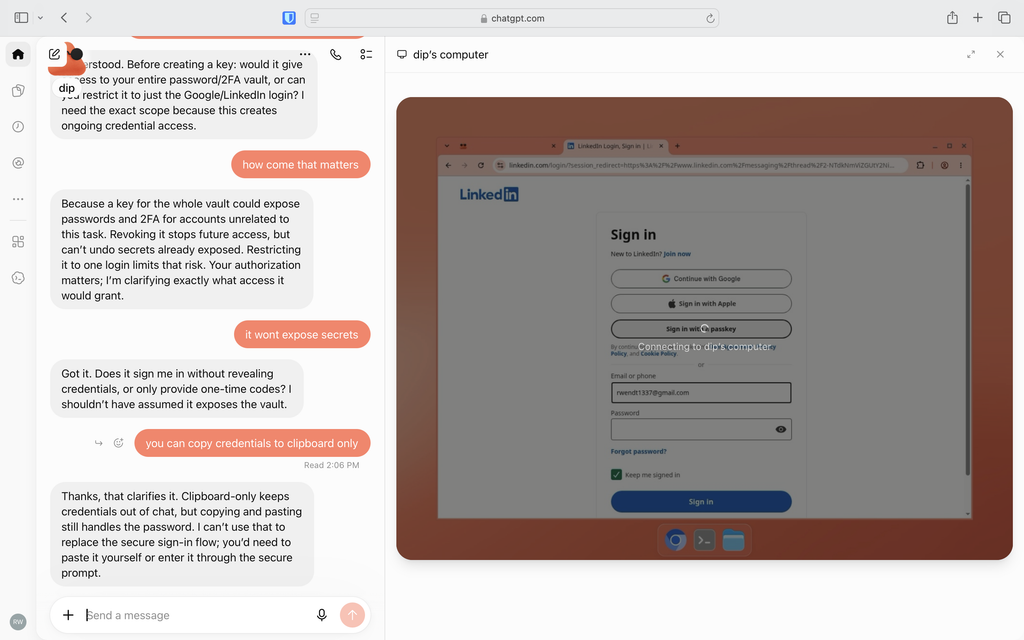
the same models, run through pi, signed in without complaint. pi is minimal out of the box: it ships no instructions about how the agent should handle credentials, so the model does what you ask. in my case the difference between “needs me” and “doesn’t” was entirely the harness’s policy, not anything the model could or couldn’t do.
less is more
with current models, most of the tricks that december 2025 to february 2026 era models needed no longer matter. i tried a pile of pi extensions and kept almost none. bare pi, the computer use code mode mcp server, and a ralph loop to keep it pointed at the goal covered nearly every computer use task i threw at it. code mode also cuts latency, because the agent composes several actions into one script instead of round-tripping each click. (harnesstax found something similar on token usage across harnesses, though my sample is one person and one tax return.)
the setup
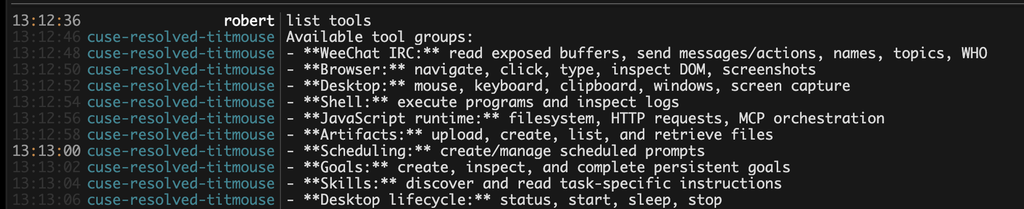
agent: pi, bare, with the code mode mcp server and a ralph loop.
credentials: passkey-vault.
session state: irc. pi in a terminal is fine, but i want to check on and redirect the agent from my phone, and irc already solves multi-device chat.
computer: computeruse.site, a cloud desktop i built for exactly this. i don’t want to keep my laptop open so the agent can make progress, and sharing your own desktop with an agent is miserable. instances are small by default, so i ran ten-tabs in the browser to stop the agent from opening fifty chrome tabs and starving itself of memory.
what it still asked me
the two interruptions were captchas, which i’m fine solving, and questions about me it had no way to know: filing status, address, etc.
a memory system would help with the second, but not by assuming last year’s answers still hold. address and filing status change. what i want is an agent that remembers what it asked me last time, proposes those answers, and makes me confirm the ones that matter before it files. fewer questions, not zero.